




Warning! The content within this article is over 36 months old and, therefore, may be out of date.
HOWTO: Deploy a VMware NSX Edge Services Gateway (ESG)
Share this article on:



VMware NSX-V VCAP6-NV VCIX6-NV HOWTO
Published on 31 July 2017 by Christopher Lewis. Words: 378. Reading Time: 2 mins.
Introduction
This is one of many posts that will form part of the VCAP6-NV Deploy Exam Guide .
What is an Edge Service Gateway (ESG)?
An Edge Services Gateway is a virtual appliance that is responsible for both North/South traffic and various Edge services, including Load Balancing, NAT and DHCP.
In this example, we will create a new ESG with two interfaces, one to connect to the transit network (Internal) and one to connect to a vDS Port Group (Uplink).
Step by Step Guide
Prerequisites
Adding an ESG has a certain amount of prerequisites that can be found within the VMware Doc site here .
Deploying a VMware NSX Edge Service Gateway (ESG)
Note:
These steps assume you are not even logged into vCenter Server. Skip the first few steps if you are!
- Using your favourite web browser, navigate to the vCenter Server login page ( https://vcenter.fqdn ).
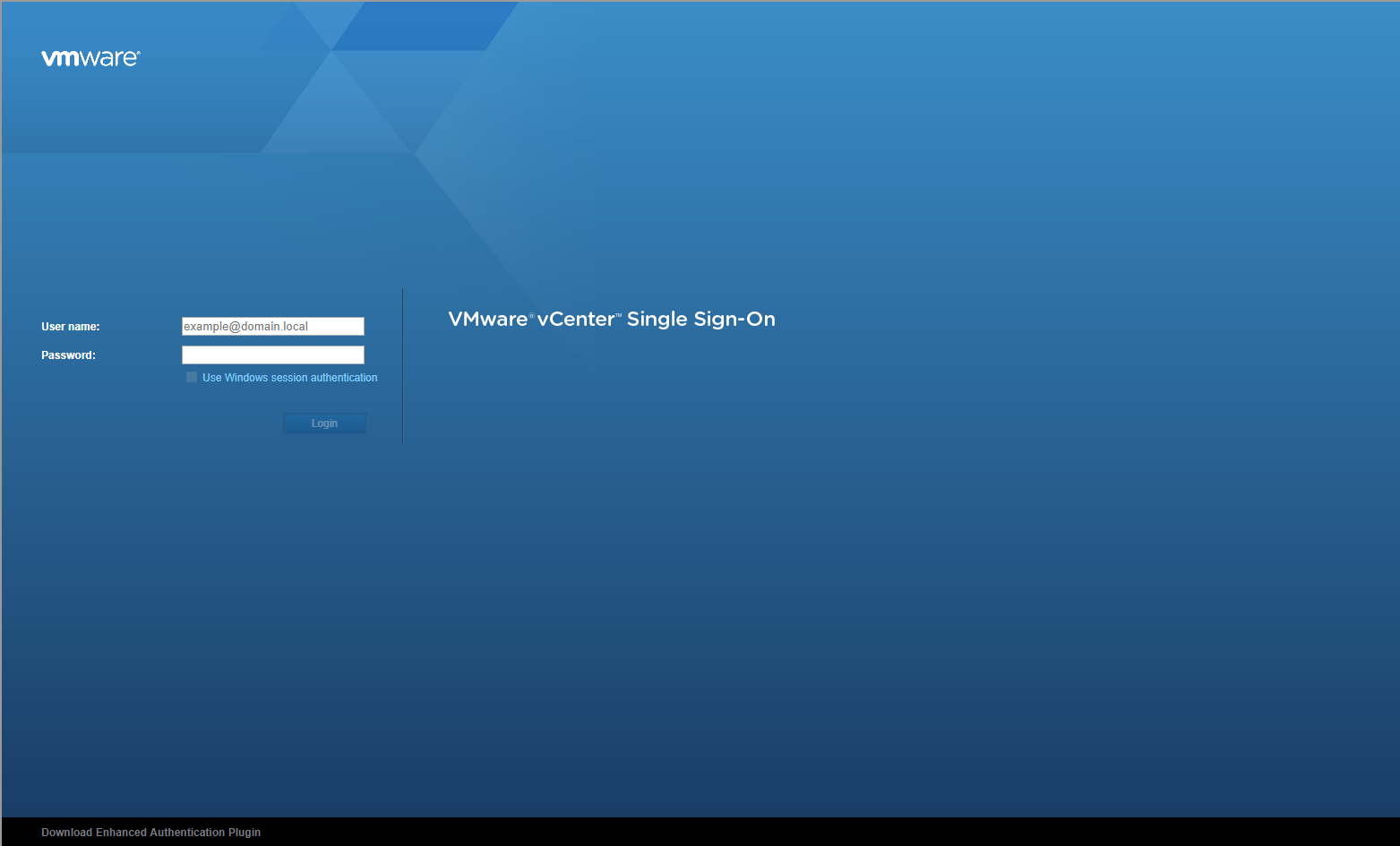
- Type the administrator User name and Password and click Login.
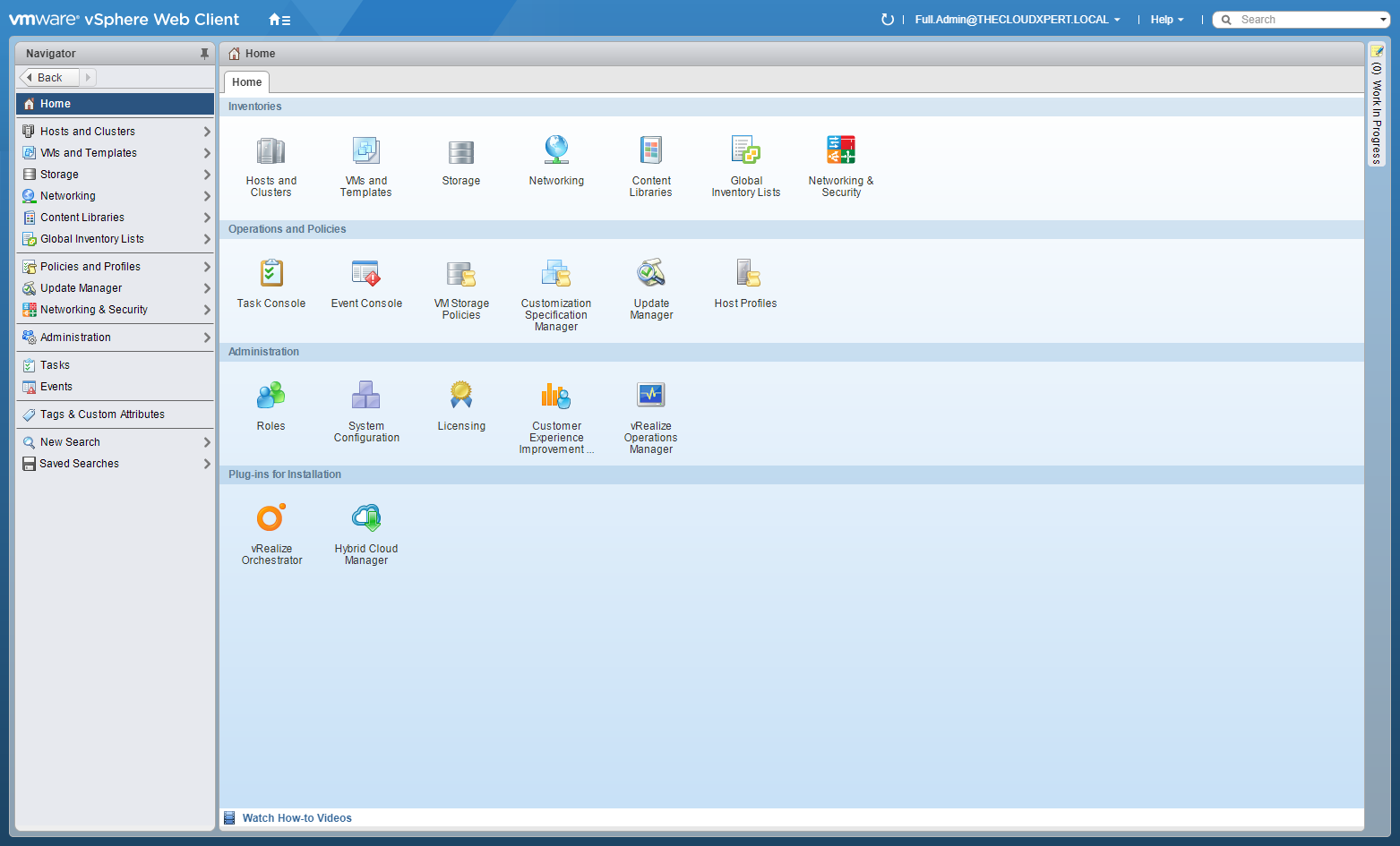
- Click Network and Security.
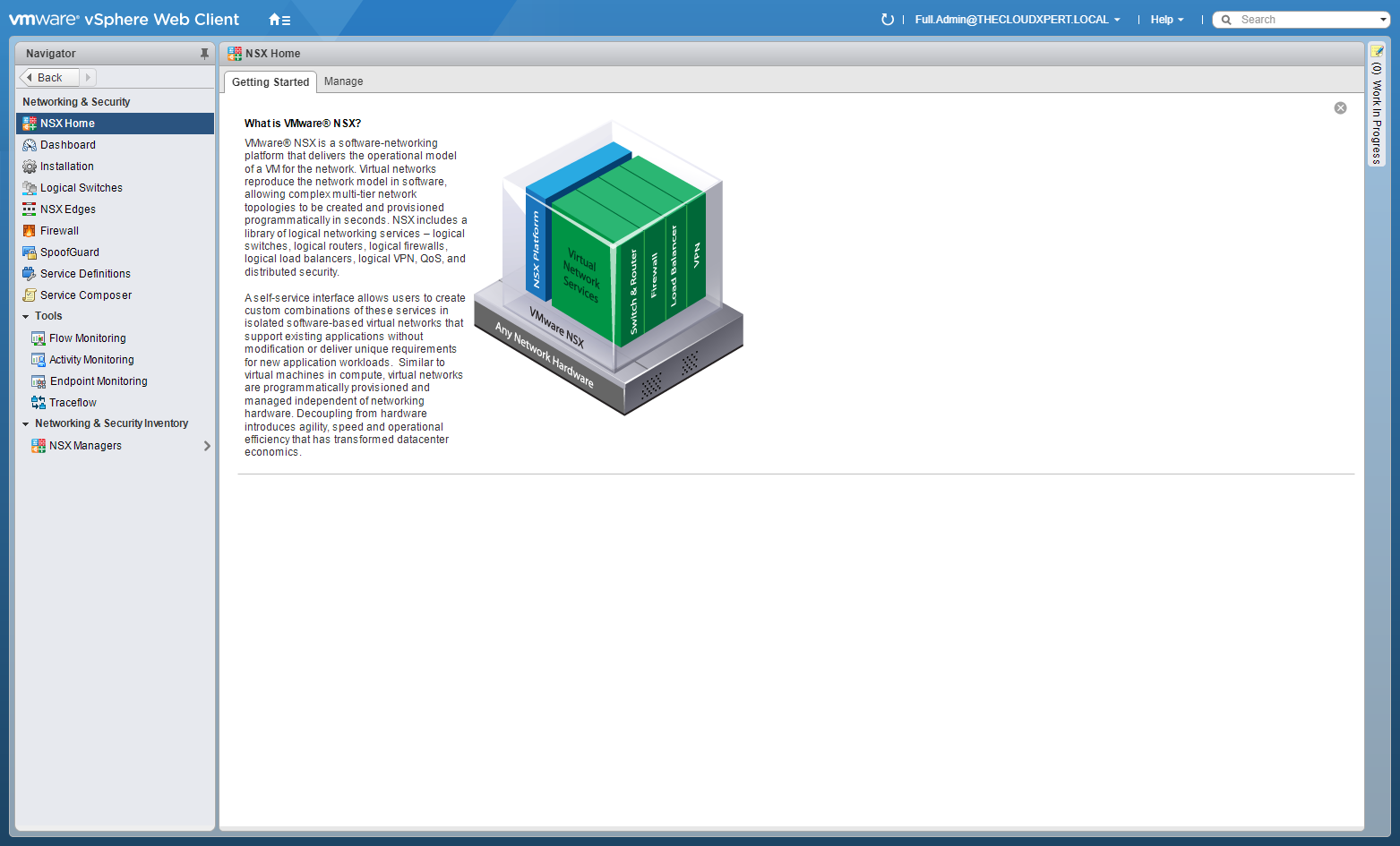
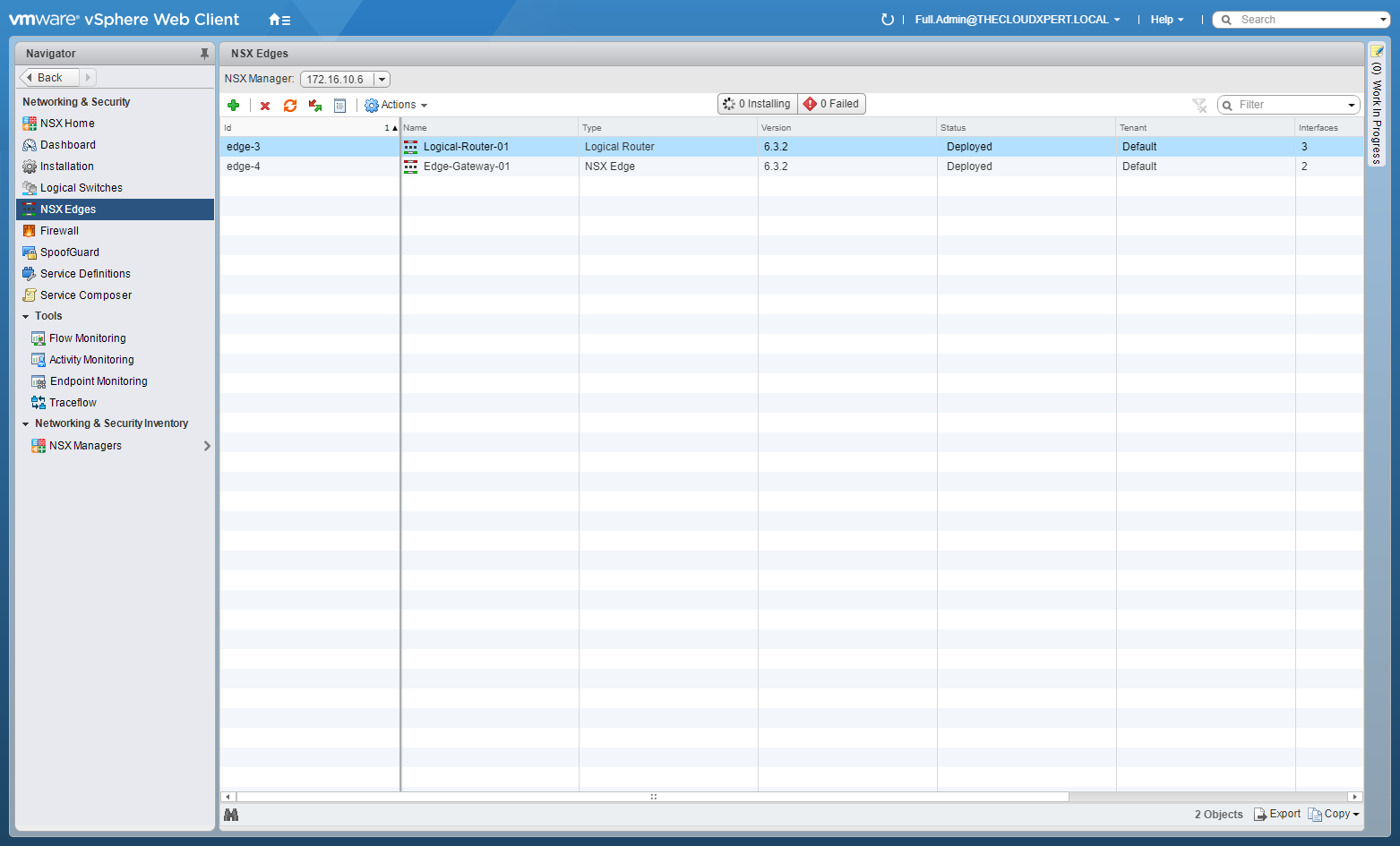
- Click NSX Edges.
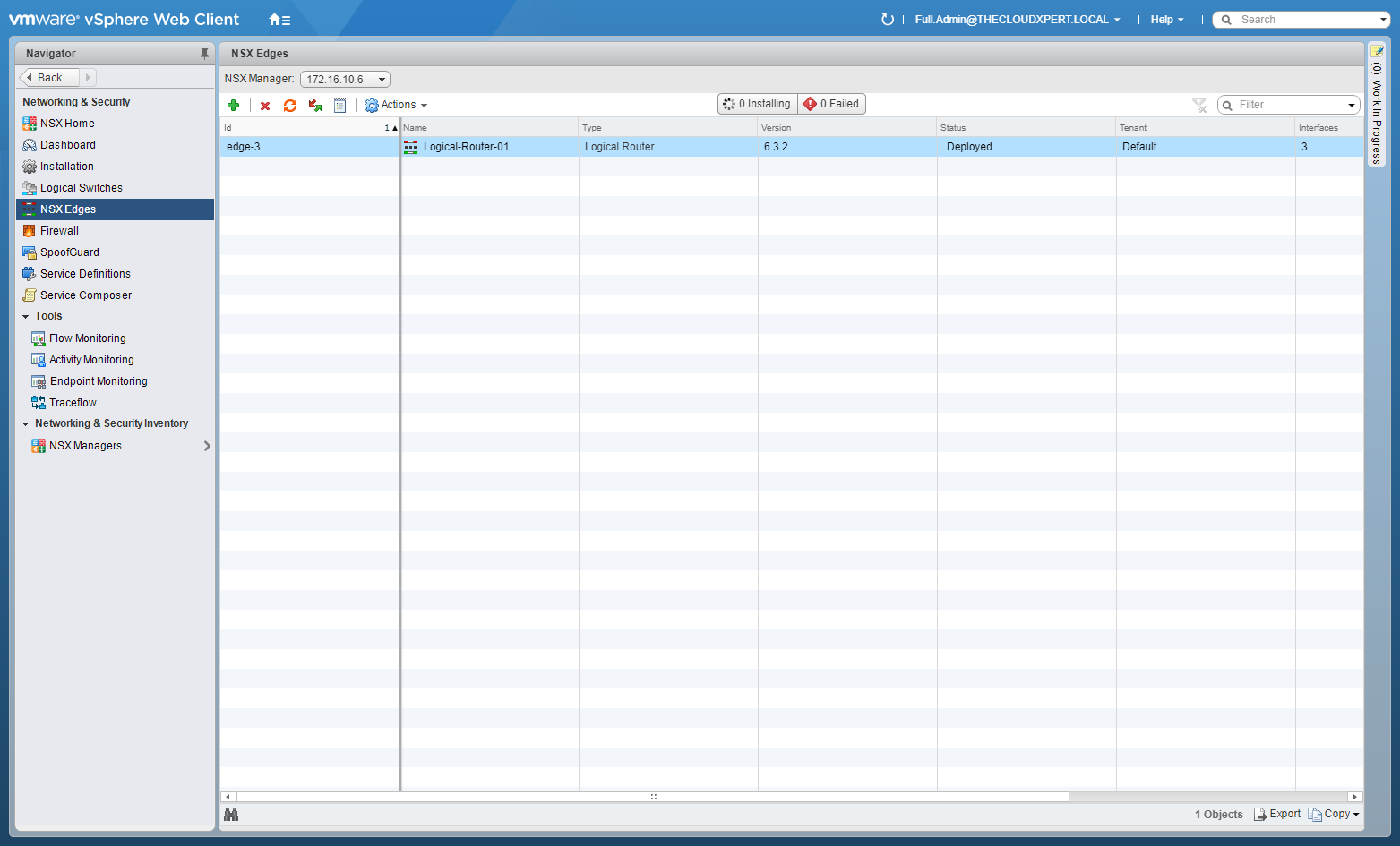
- Click Add (+).
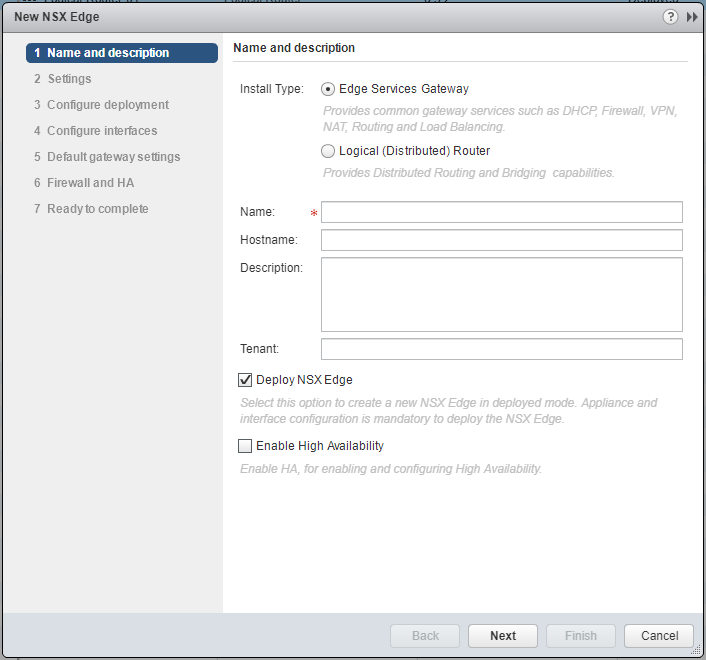
- Type the Name of the new ESG and (optional) check the Enable High Availability checkbox.
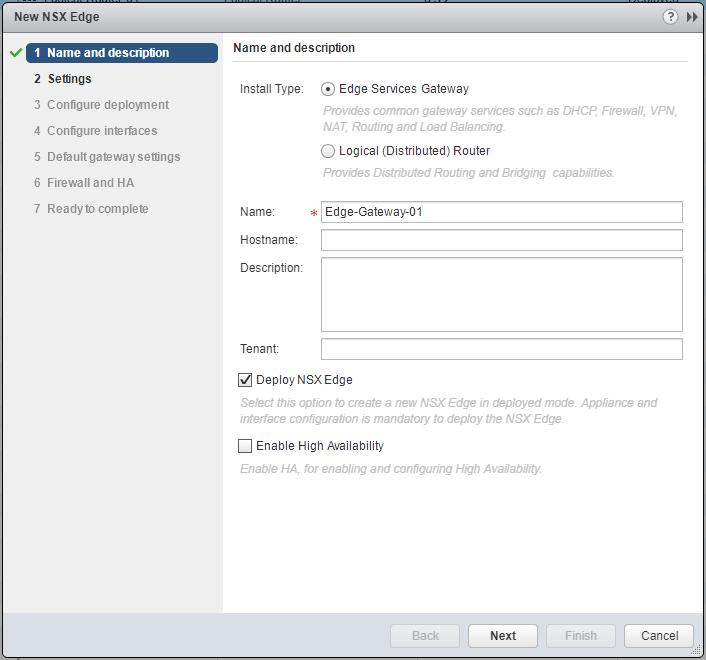
- Click Next.
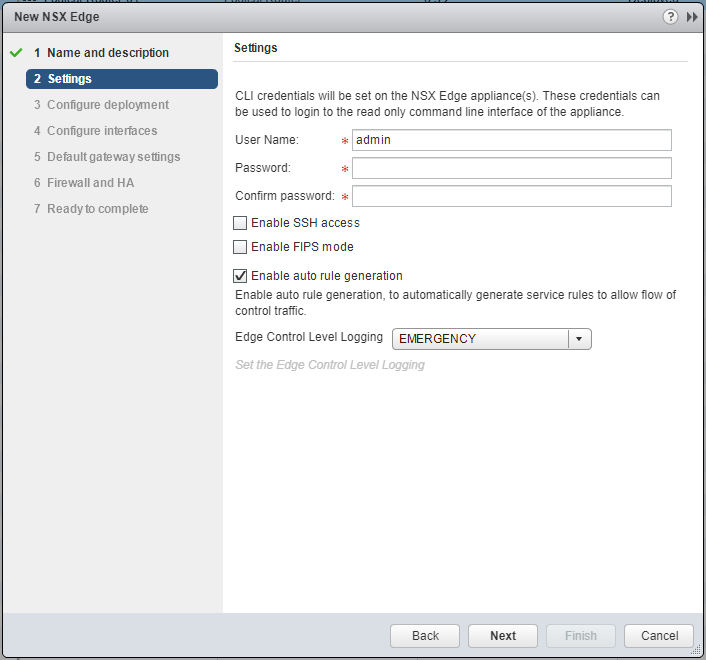
- Type and confirm a Password for the CLI credentials. (Optional) check the Enable SSH access or Enable FIPS mode checkboxes based on your requirements.
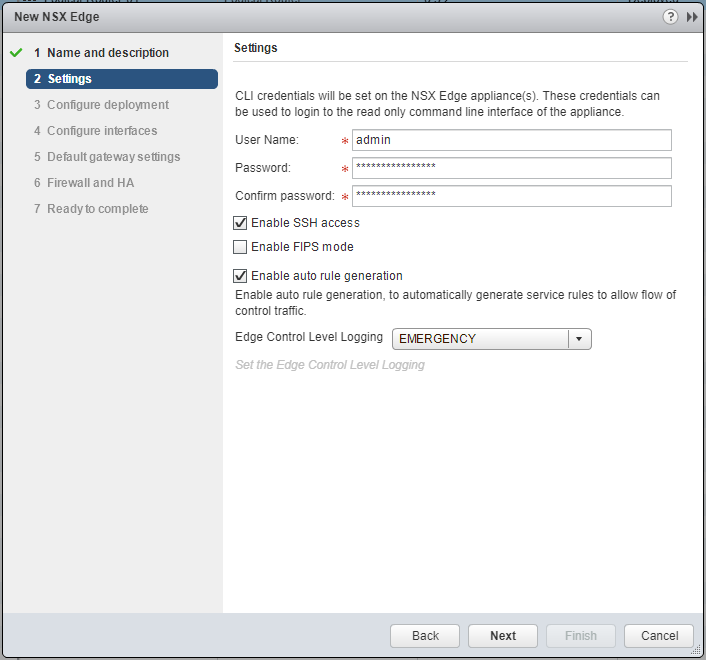
- Click Next.
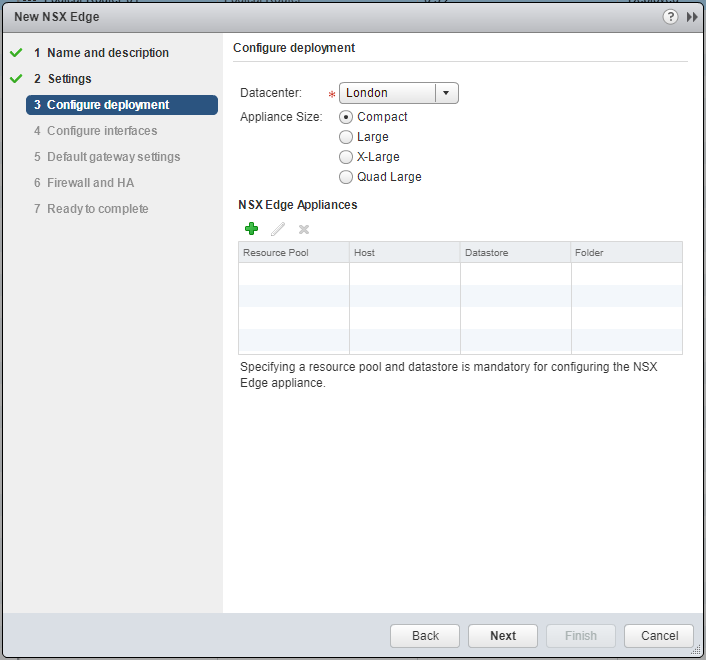
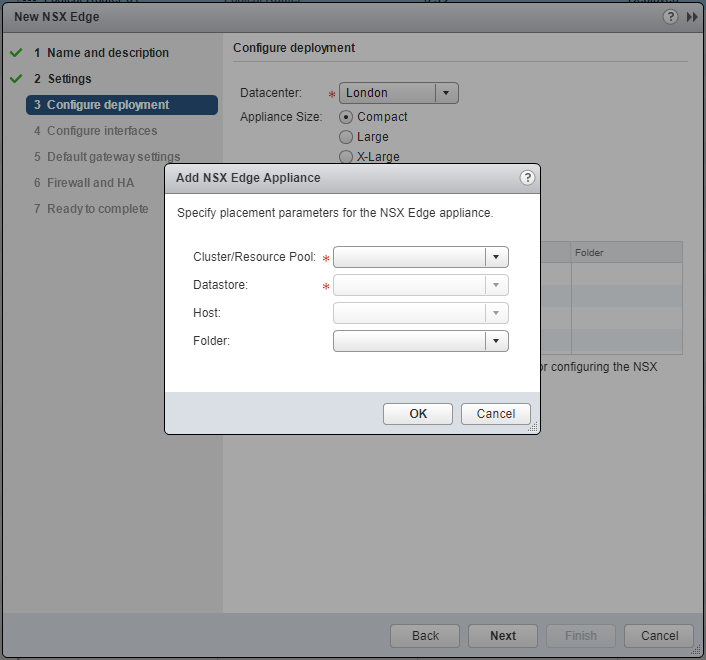
- Select the correct Datacenter from the drop down, select the appropriate Appliance Size and then click Add(+).
Note:
One of the main differences between deploying the ESG and DLR is the ESG is sized based requirements.
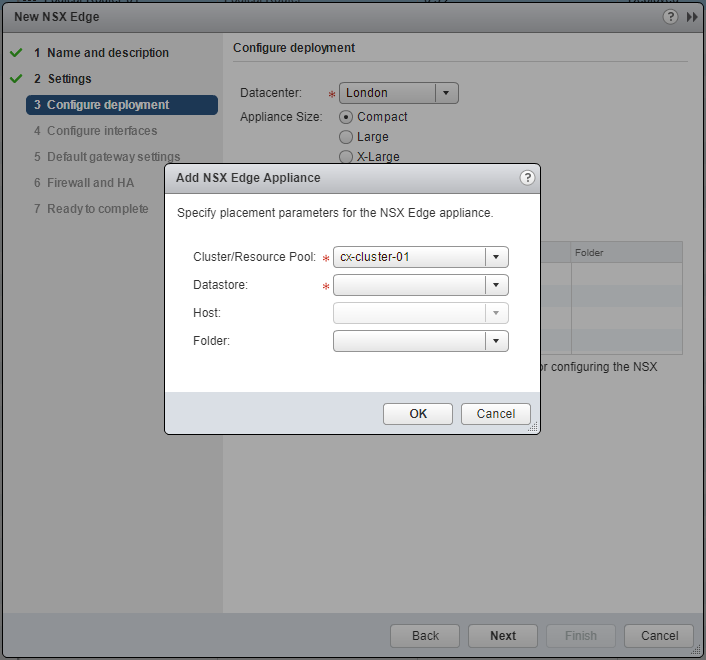
- Select the target Cluster/Resource Pool from the dropdown.
- Select the target Datastore from the dropdown.
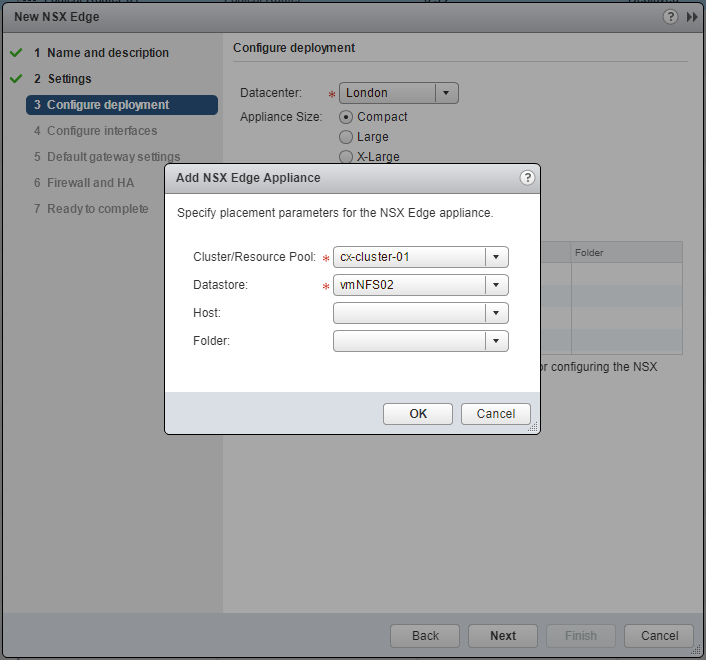
- Click OK.
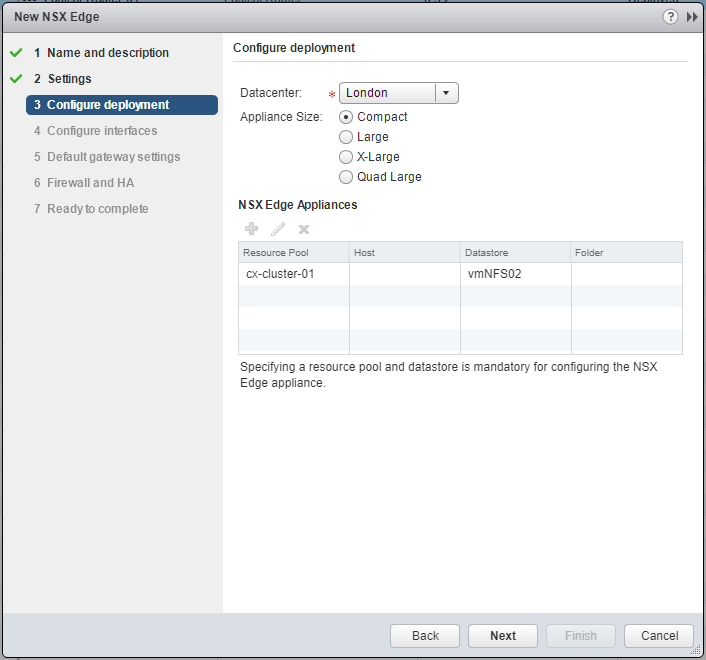
- Click Next.
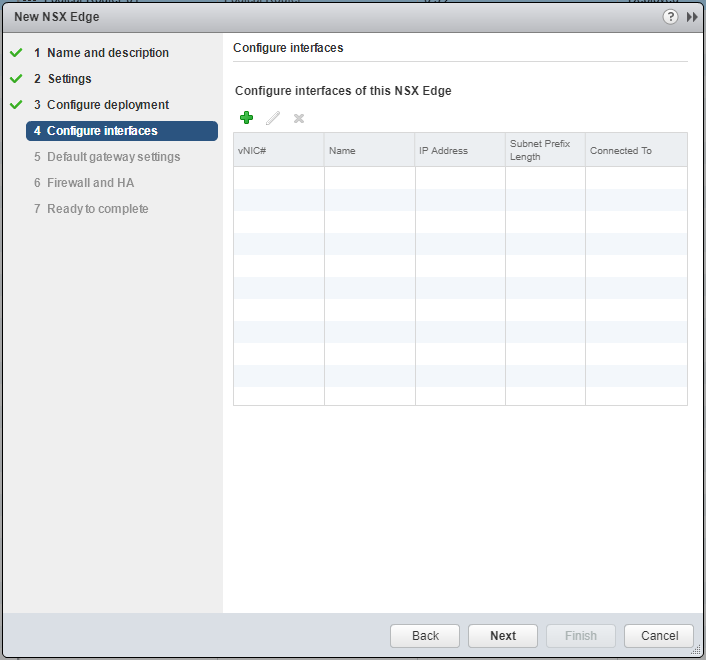
- Click Add(+).
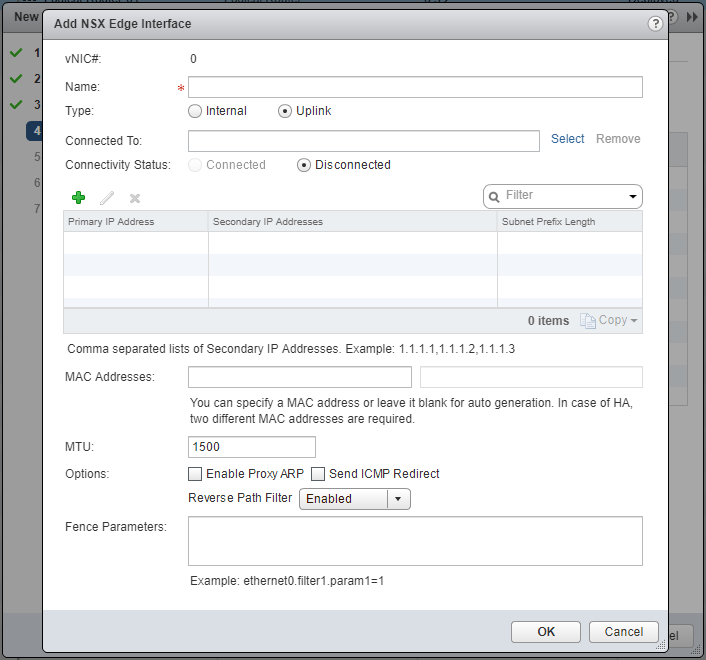
- Type the Name of the NSX Edge Interface, select the appropriate Type option (either Internal or Uplink).
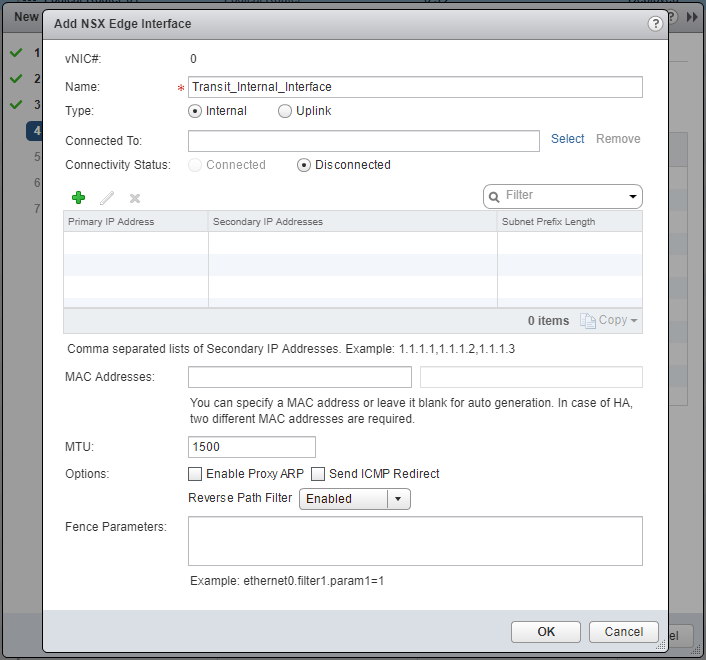
- At Connected To, click Select.
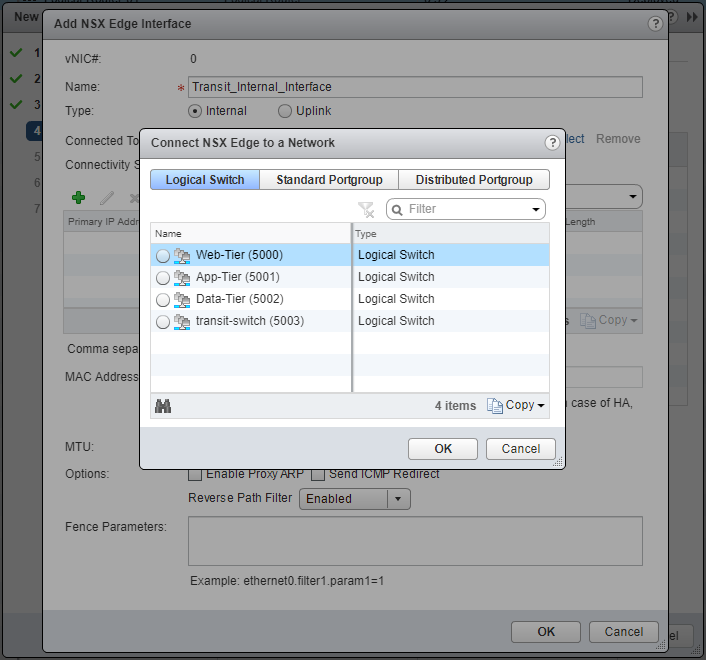
- Select the target Network (Logical Switch / Standard Portgroup / Distributed Portgroup) and click OK.
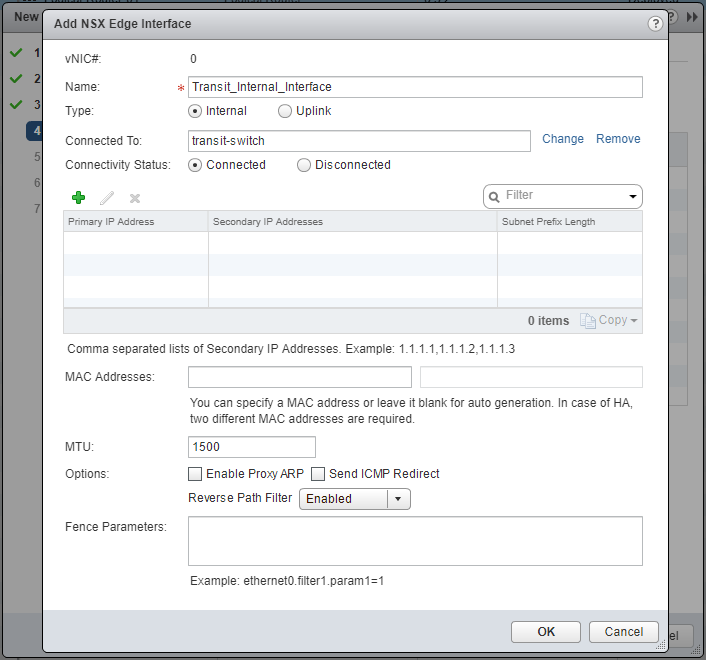
- Click Add(+).
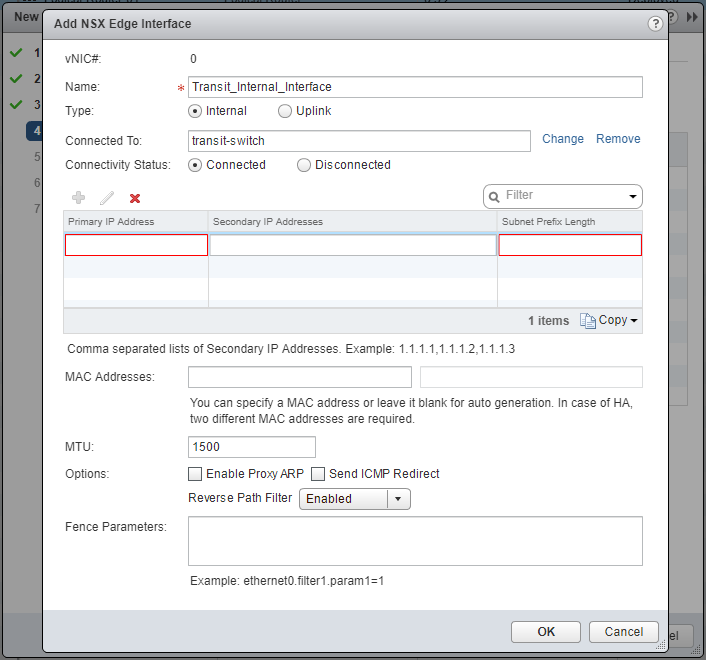
- Type the Primary IP Address and the Subnet Prefix Length.
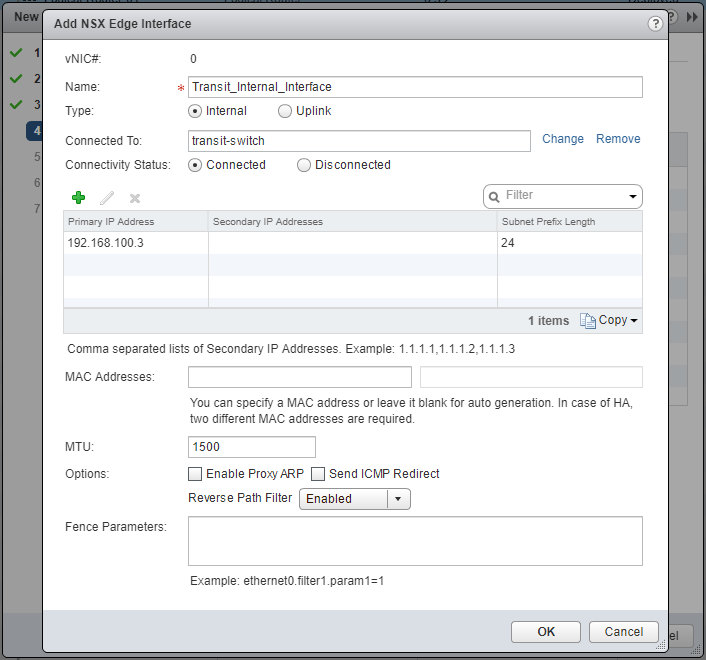
- Click OK.
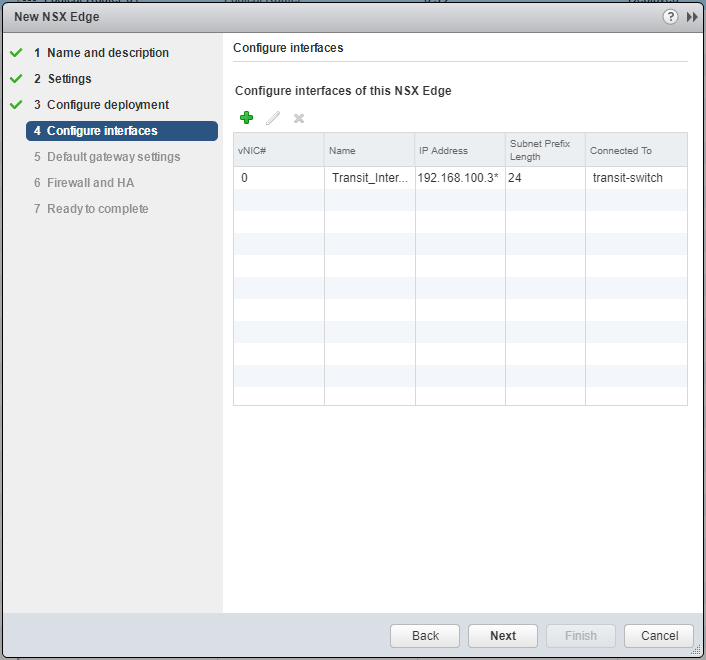
- Add additional Interfaces as required.
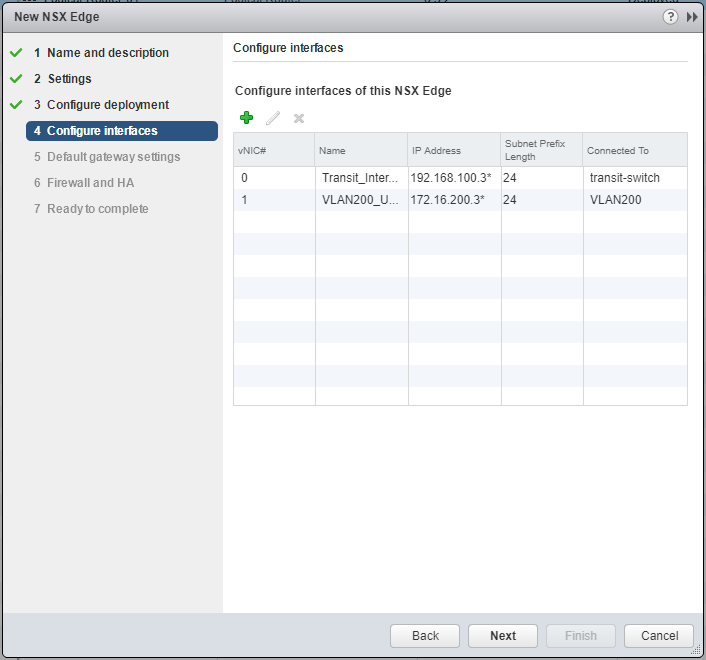
- Click Next.
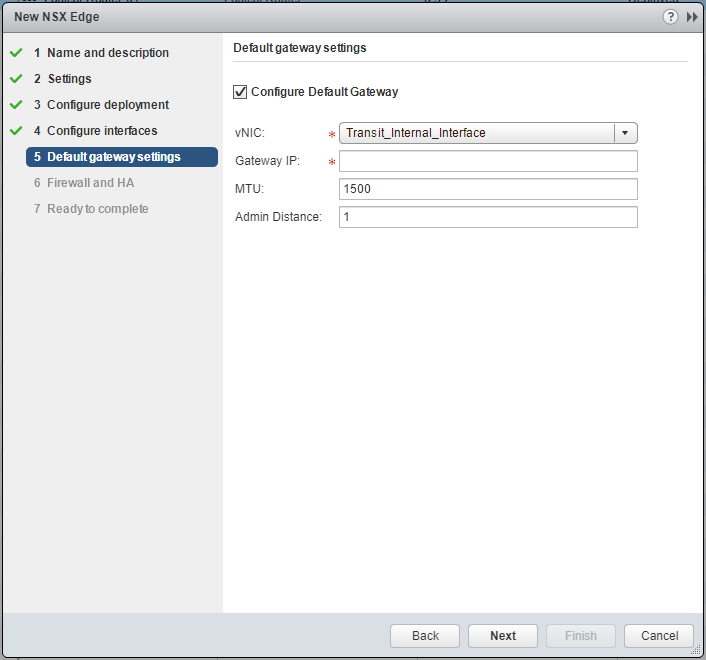
- Select the appropriate vNIC from the dropdown and enter the Gateway IP Address.
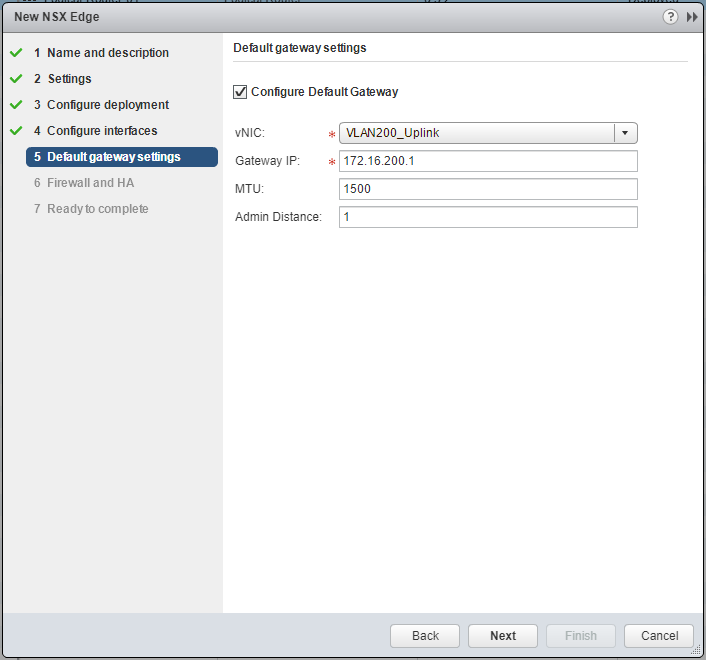
- Click Next.
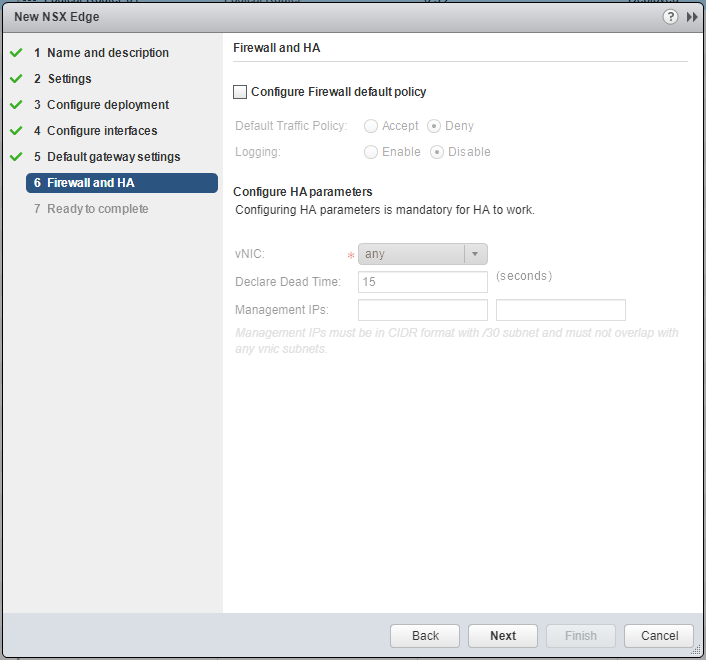
- Check the Configure Firewall default policy checkbox.
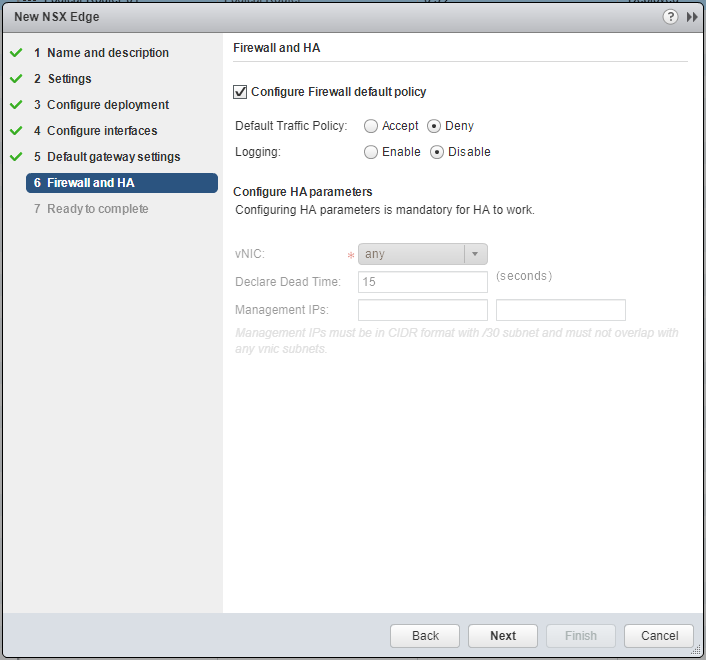
- Select the desired Default Traffic Policy and Logging options.
Note:
If HA has been specified, select the vNIC from the dropdown and enter the Management IPs.
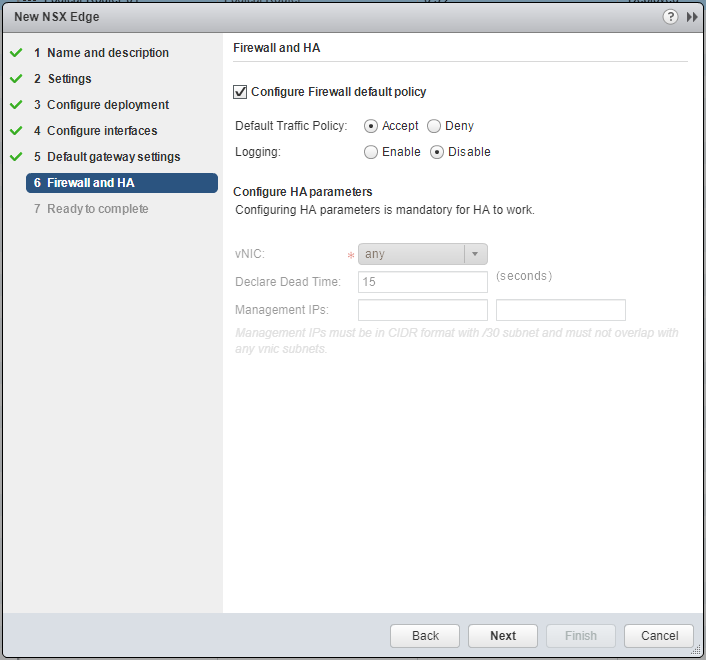
- Click Next.
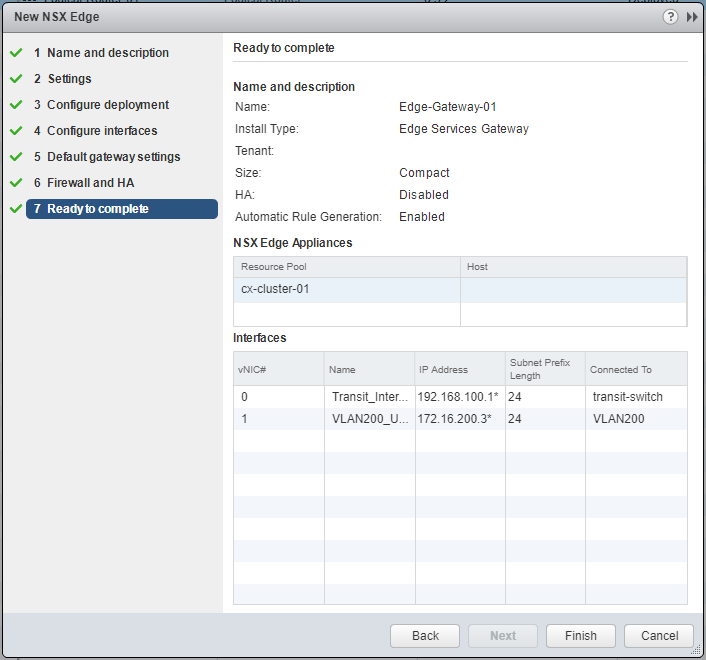
- Click Finish.
Published on 31 July 2017 by Christopher Lewis. Words: 378. Reading Time: 2 mins.
Share this article on:
Related Post(s):
- HOWTO: Deploy a VMware NSX-V Distributed Logical Router (DLR) ()
- VCAP6-NV Deploy - Objective 1.1 - Deploy VMware NSX Infrastructure components ()
- HOWTO: Add a Host to a VMware NSX-V enabled vSphere Cluster ()
- HOWTO: Remove a Host from a VMware NSX-V enabled vSphere Cluster ()
- HOWTO: Exclude Virtual Machines from Firewall Protection in NSX-V ()
About the Author:

Name: Christopher Lewis
Twitter/X: thecloudxpert
Role: Domain Expert - VCF Automation & VCF Operations
Company: Broadcom
Recent Posts by Christopher Lewis:
Blog Categories:
vmware260
certification91
vrealize automation80
vcap48
nsx45
nsx v41
vmworld36
vrealize suite lifecycle manager20
vrealize suite14
vrealize orchestrator13
aria automation9
general9
vexpert9
vmware aria automation9
vsphere9
powercli8
microsoft7
active directory6
powershell6
windows6
certificate authority5
certificates5
vcf5
vmug5
vmware aria operations5
vrealize operations manager5
vsan5
vcenter4
vmware cloud3
aria operations2
aws2
home lab2
vcap62
vcix2
vmware explore2
vmware identity manager2
vrealize business2
Top Tags:
vmware 99+
vrealize automation 74
vcap6 cma 48
vcap6 45
nsx v 43
vcap6 nv 37
vcix6 nv 36
vmworld 35
howto 33
barcelona 24
vrealize orchestrator 21
vrslcm 20
vexpert 19
api 18
vmworld 2016 13
vra 13
certificates 12
vmware aria 12
vsphere 12
vrealize suite lifecycle manager 11
multi tenancy 9
vcap 9
vmware aria automation 9
vmworld 2017 9
platform services controller 8
powercli 8
vmug 8
vrealize operations 8
certification 7
microsoft 7
powershell 7
vsan 7
active directory 6
psc 6